

Seedance 2.0 Mini is a focused AI video workflow for creators who need quick visual tests and short clips. It keeps the core generation path simple: choose text or image input, set the output format, generate, review, and download. Use it when speed, cost, and iteration volume matter more than maximum duration.
Seedance 2.0 Mini Capabilities Upgrade
Fast mode for production drafts
From idea to downloadable MP4 in fewer steps
Mini trims the workflow down to the essentials while keeping the parts that matter for short clips: reference control, prompt clarity, predictable settings, and fast review.

| Core Capability | Seedance 2.0 | Seedance 2.0 Mini |
|---|---|---|
| Best fit | Longer cinematic tests | Fast short-form clips |
| Max duration | Up to 15s | 1-5s clips |
| Input workflow | Text, image, video, audio references | Text, image, first-frame control |
| Resolution target | Up to 1080p | Up to 720p |
| Credit profile | Higher cost per render | Lower cost for iteration |
Seedance 2.0 Mini Model Highlights
1. Image-to-video without a heavy setup
Seedance 2.0 Mini is built for fast image-led animation. Upload one reference image, describe the motion, and generate a short MP4 while preserving the main subject and composition.
2. Text prompts for quick concept tests
When you do not have a reference image, Mini can still create clips from plain-language direction. Describe the scene, camera movement, lighting, and mood in a compact prompt.
3. First-frame control for cleaner starts
Use first-frame mode when the opening composition matters. Mini starts from your selected image and generates motion forward from that locked frame.
4. Lower-credit creative iteration
Mini is best for prompt testing, storyboard exploration, social clips, and high-volume creative batches before you commit to a longer render.
Choose your input type
Start with a text prompt, upload one image reference, or use first-frame mode when the first composition needs to stay exact.
Configure output settings
Choose aspect ratio, resolution up to 720p, and a 1-5 second duration that fits your social, ad, or storyboard use case.
Generate and download
Render the clip, preview the result in the workspace, then download the MP4 for publishing, editing, or another iteration.
1. Image Reference
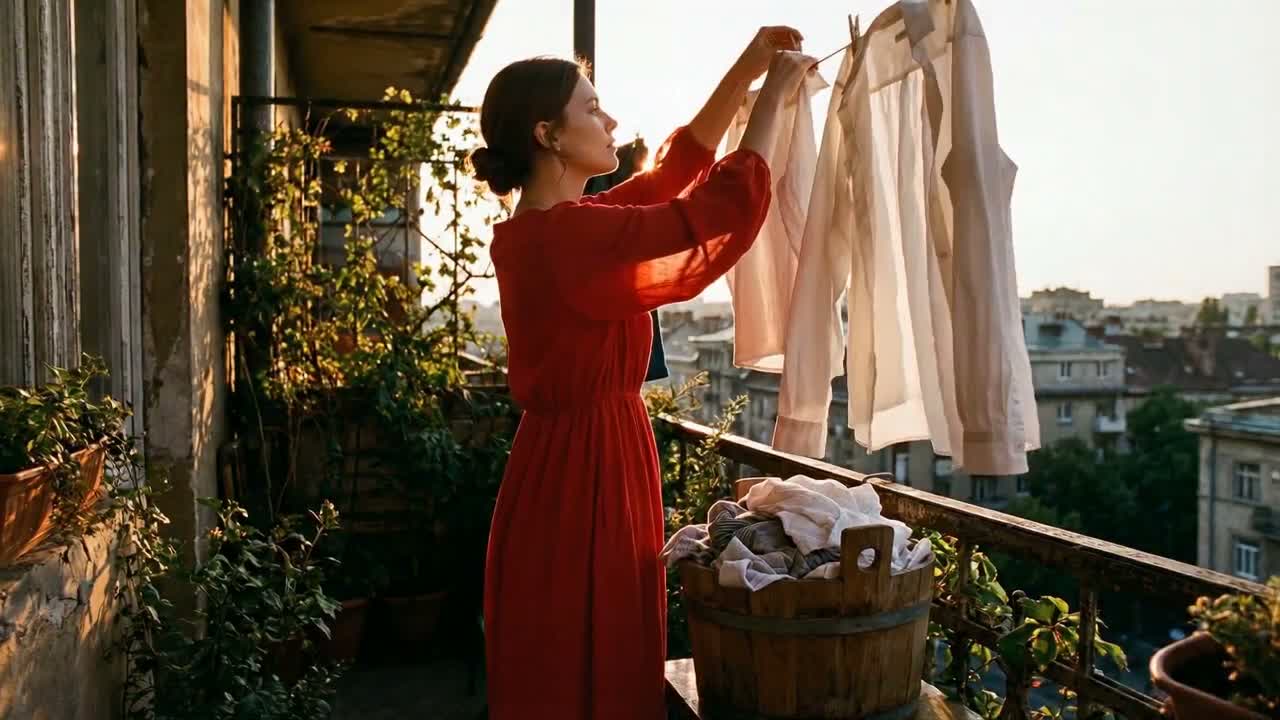
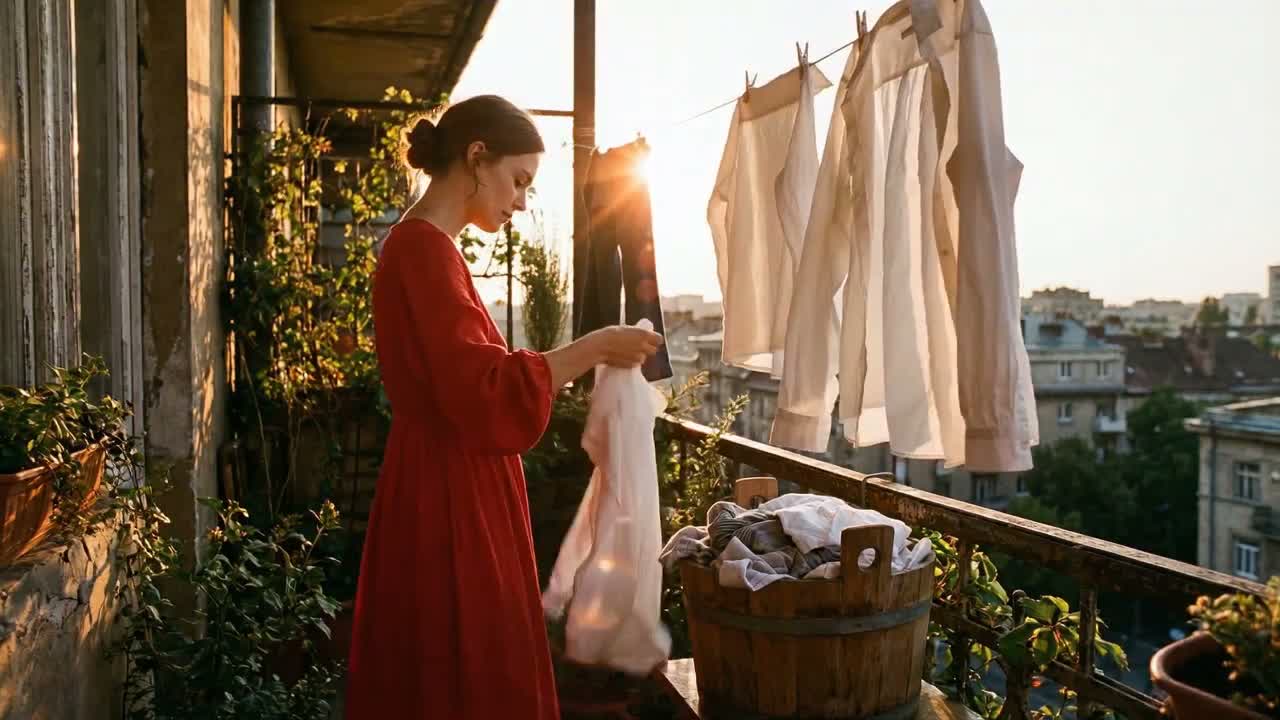
Golden-Hour Balcony Laundry Motion
This example is a clean single-scene image-to-video setup: one woman in a red dress, one balcony, one task, and believable cloth motion under strong backlight. Mini holds the environment stable while the garments sway, the hands pin fabric to the line, and the warm sunset glow stays consistent.
Input prompt
Use @Image1 as the composition and character reference. A woman in a flowing red dress stands on a narrow city balcony at golden hour, hanging white shirts and linens on a clothesline above a wooden laundry basket. Keep her face, dress silhouette, and balcony layout consistent with the reference. Gentle breeze moves the fabric naturally, warm backlight creates soft lens flare, and the camera holds a calm medium-wide shot with realistic hand motion as she pins one shirt and lifts the next cloth from the basket.
Uploaded assets
Output video
2. Character Reference Pack
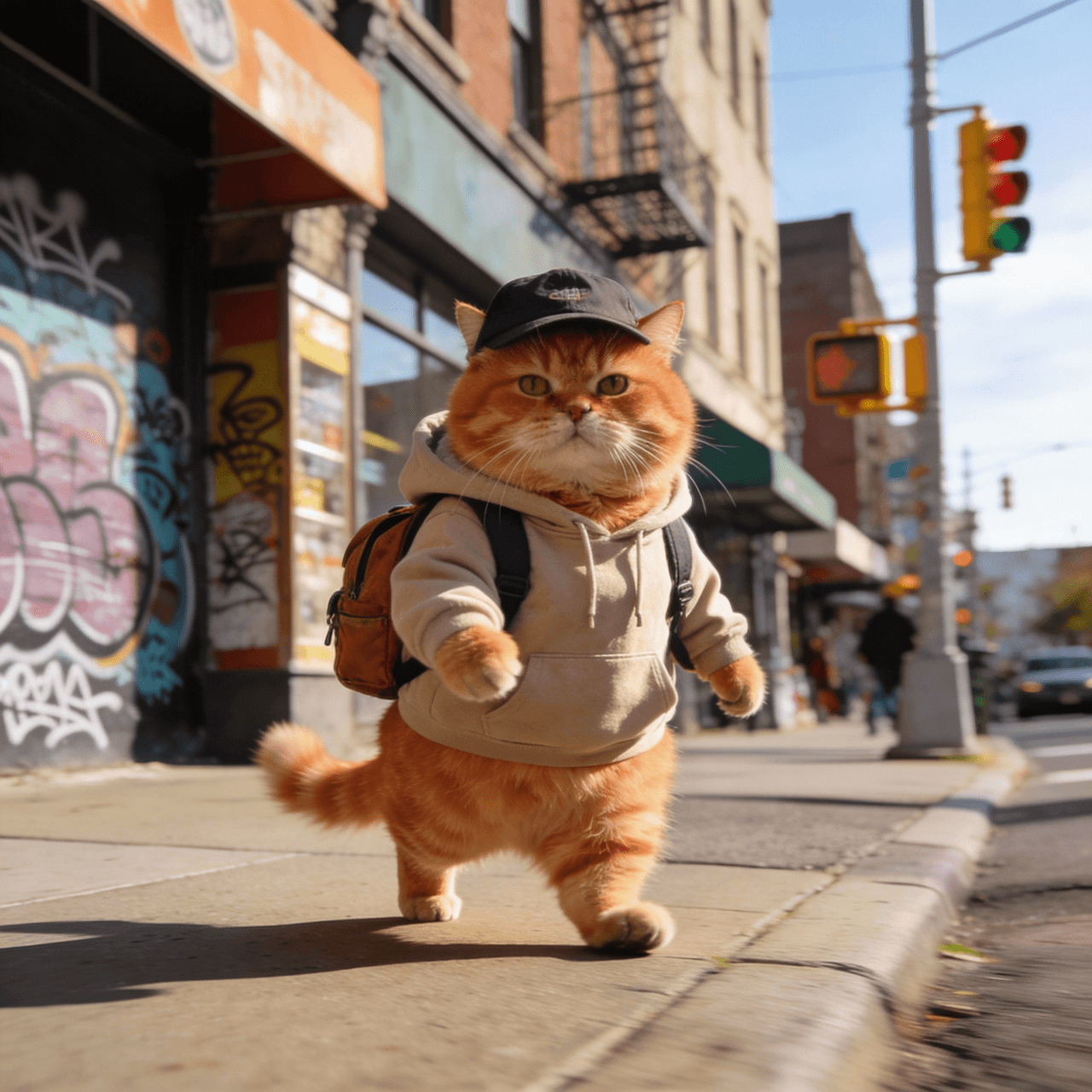
Keep One Cat Character Across Multiple Worlds
This clip is not a generic product spin. It is a character-consistency test using a small image pack: the same orange cat appears on a tropical beach, then in a cafe with glasses and coffee. The useful lesson is how Mini carries face shape, fur pattern, body proportion, and comedic tone across scene changes.
Input prompt
Use @Image1, @Image2, @Image3, and @Image4 as a character reference pack for the same chubby orange tabby cat. Keep the cat’s round face, amber fur stripes, short legs, and deadpan expression consistent across every shot. Create a playful two-scene micro story: first the cat stands on a bright tropical beach wearing a straw hat, sunglasses, and a floral vacation shirt; then cut to a cozy cafe interior where the same cat wears round glasses and an apron while calmly holding a tiny espresso cup. Preserve the same character identity while changing wardrobe and location. Cinematic lighting, clean transitions, whimsical but believable motion.
Uploaded assets



Output video
3. First-Frame Control
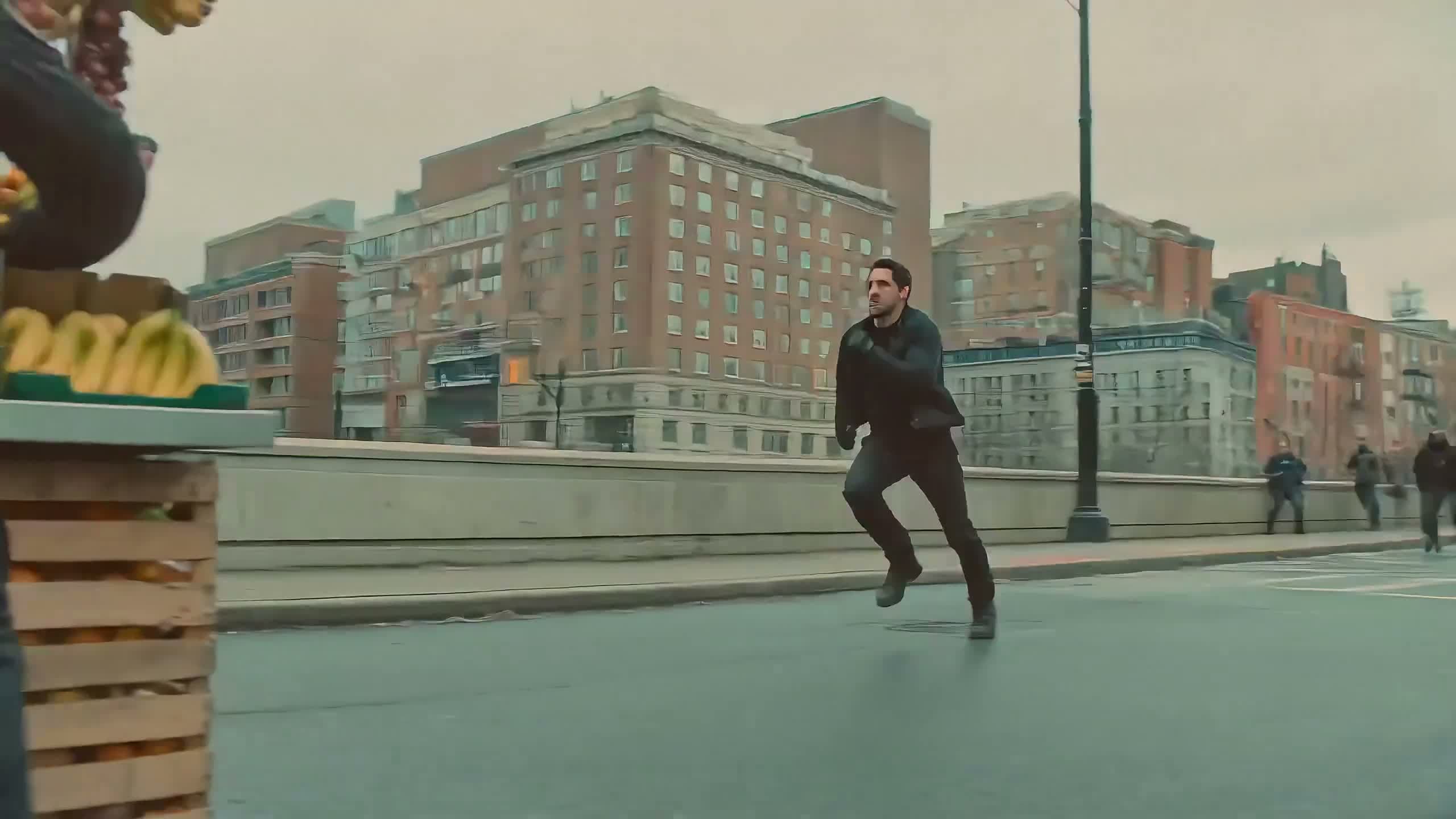
Lock the Opening Frame Before the Street Chaos Starts
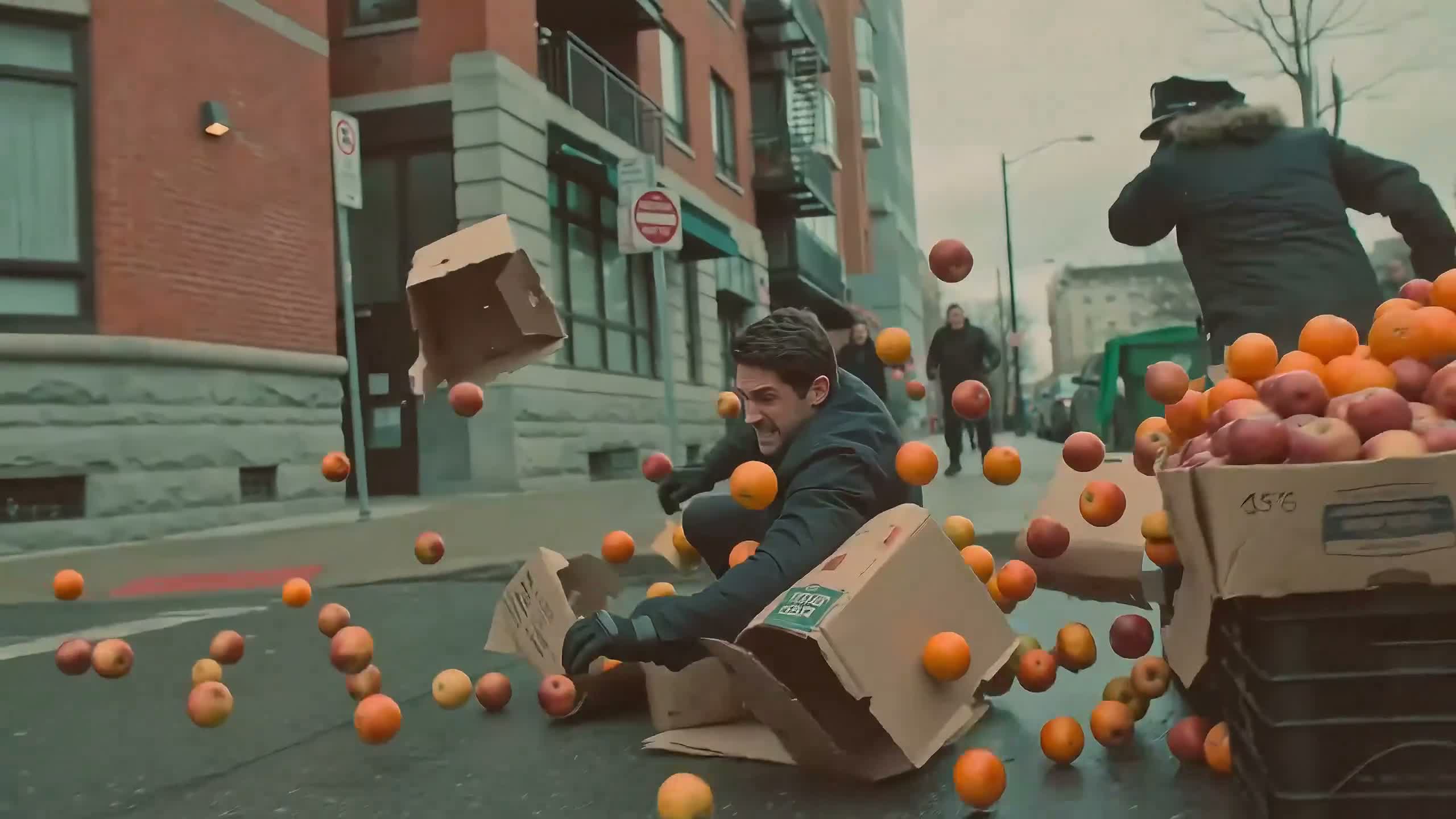
Here Mini starts from a very specific opening frame: a man sprinting toward a sidewalk fruit stand on an overcast city block. That locked start matters, because the later beats depend on spatial continuity when the collision sends apples, oranges, and cardboard boxes into the air.
Input prompt
@Image1 is the exact first frame. Preserve the framing, street layout, fruit stand position, and the runner’s pose at the start. Then continue the action in one uninterrupted shot: the man rushes past the stand, loses balance, crashes through stacked fruit crates, and slides across the wet city street while apples, oranges, and cardboard boxes burst into the air. Keep the overcast lighting, handheld action energy, and grounded urban realism. The fruit should scatter with readable arcs and the camera should stay close enough to feel the impact.
Uploaded assets
Output video
4. Fast Iteration
Fantasy Colossus Test for Fast Iteration
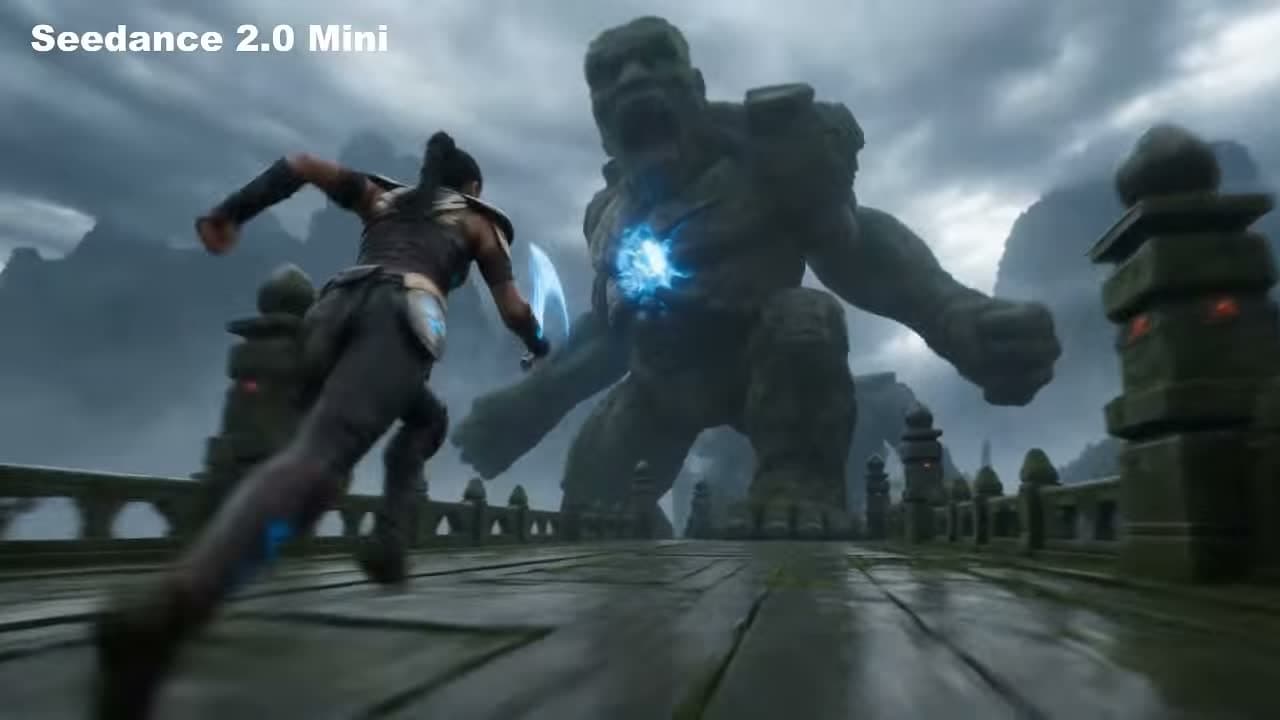
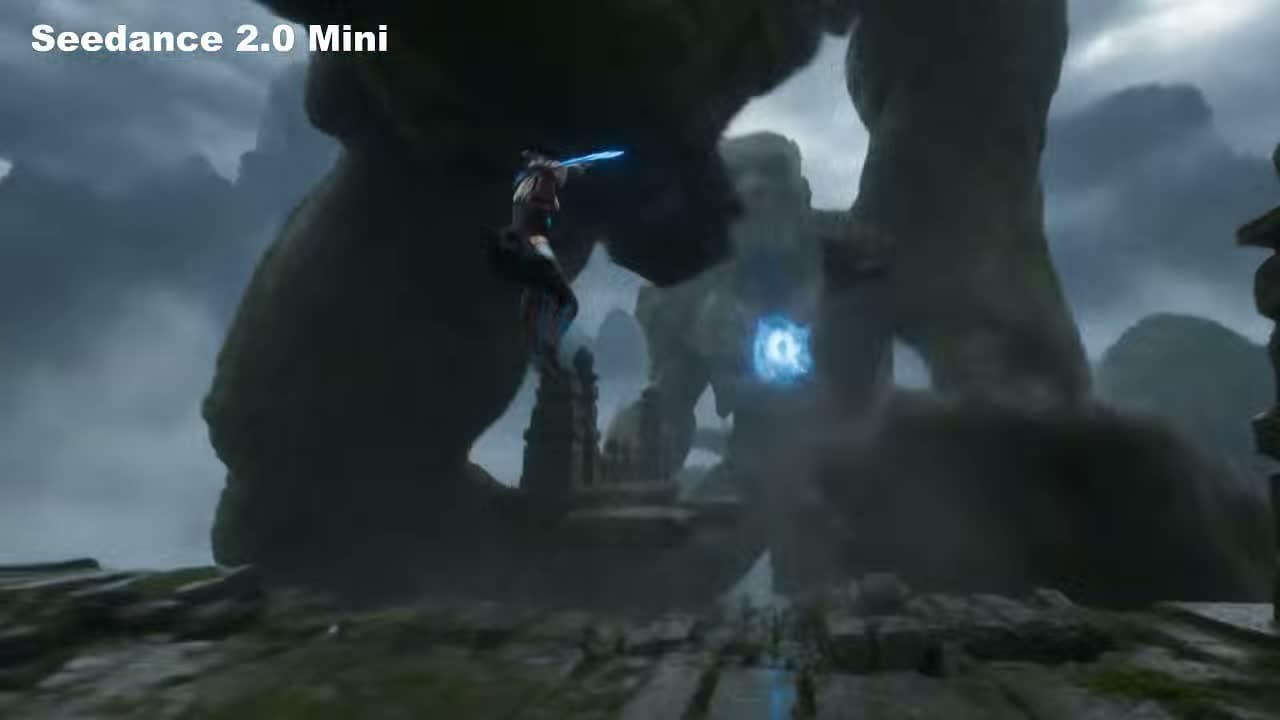
This is the kind of shot Mini is useful for when you need fast concept proof instead of a final hero render. The warrior, bridge, storm sky, blue energy blade, and giant stone titan all read clearly enough to compare framing and action beats before moving to a larger-budget generation.
Input prompt
Create a short fantasy action clip on a rain-darkened stone bridge between misty mountains. A lone armored warrior charges a colossal stone titan whose chest glows with blue energy. Start with a forward sprint toward the titan, then cut closer as the warrior leaps and strikes with a bright blue blade while the giant swings a massive stone arm. Keep the mood stormy, the scale dramatic, and the action readable in a compact runtime. This version should feel punchy and fast, optimized for concept testing rather than a long cinematic sequence.
Uploaded assets
Output video
Supported Input Materials
Image input
Use jpeg, png, or webp reference images under 30 MB. One strong reference is usually enough for Mini.
Text input
Write concise prompts with subject, action, camera movement, environment, lighting, and style.
First-frame mode
Pin the opening frame to a specific image when the starting composition must match your source.
Output settings
Generate 1-5 second clips, choose social or cinematic aspect ratios, and export up to 720p.
Credit usage
Use Mini for lower-credit exploration before scaling the strongest idea in a longer model.
Download workflow
Preview each completed result in the browser, then save the MP4 for publishing or editing.
Frequently Asked Questions
What are the supported input materials and limits?
Seedance 2.0 Mini supports text prompts and single image references such as jpeg, png, and webp files under 30 MB. First-frame control is available for locking the opening composition. Mini clips are designed for 1-5 second output at up to 720p.
How is Seedance 2.0 Mini different from Seedance 2.0?
Mini focuses on faster short clips and lower-credit iteration. Seedance 2.0 is better for longer 15-second generations, richer multimodal references, and native audio-video workflows.
How many credits does it cost to generate a video?
Credit consumption depends on duration and resolution, but Mini is designed to use fewer credits than standard Seedance 2.0 renders. Check the pricing page for current packages. View pricing.
Can I download the finished Mini video?
Yes. After generation completes, the result player includes a download option so you can save the finished MP4 to your device.
Ready for a fast render
Create Short AI Videos with Seedance 2.0 Mini
Test prompts, animate references, lock first frames, and download production-ready short clips from one browser workspace.